
Short answer: to list your medical practice online in Panama, create one complete, accurate profile with your specialty, address, schedule, languages, contact channels and license details, publish it on a health directory that patients in Panama actually browse, and keep it updated. On CanalMarket Medical you can add your practice here and choose a monthly plan if you want more visibility.

Patients in Panama City, David, Chitré or Coronado increasingly start their search on a phone: “pediatrician near me”, “English-speaking dentist Panama”, “dermatologist San Francisco Panama”. If your office does not appear with clear, trustworthy information, that patient books with someone else. This guide is written for doctors, dentists, clinics, laboratories and pharmacies that want a professional online presence without complicated marketing.
Why an online profile matters for a medical practice in Panama
A directory profile does one simple job: it answers the questions a patient has before calling you. Where are you? What do you treat? Do you speak English? Do you accept my insurance? How do I book? When those answers are visible, the patient who contacts you is already a good fit, and your reception team spends less time on basic calls.
Panama also has a large international community — expats, retirees, business travelers and medical travelers from the region — who often search in English. A bilingual profile helps you reach both local and international patients.
What to include in your practice profile
Complete profiles are easier for patients to trust. Before you publish, gather:
- Practice or doctor name, written exactly as on your sign and documents.
- Specialty and main services in plain words (for example “pediatrics, vaccinations, well-child checkups”).
- Full address with building, floor and office number, plus a map pin. In Panama, references such as the tower name or a nearby landmark help a lot.
- Opening hours, including Saturdays and whether you see walk-ins.
- Languages spoken by the doctor and the front desk.
- Contact channels: phone, WhatsApp and email that someone actually answers.
- Insurance and payment: which insurers you work with, if any, and accepted payment methods.
- Professional credentials: the doctor’s full name and professional license (idoneidad) information, so patients can verify it.
- Real photos of your entrance, waiting room or team. Avoid stock images that do not show your office.
Step by step: adding your practice to CanalMarket Medical
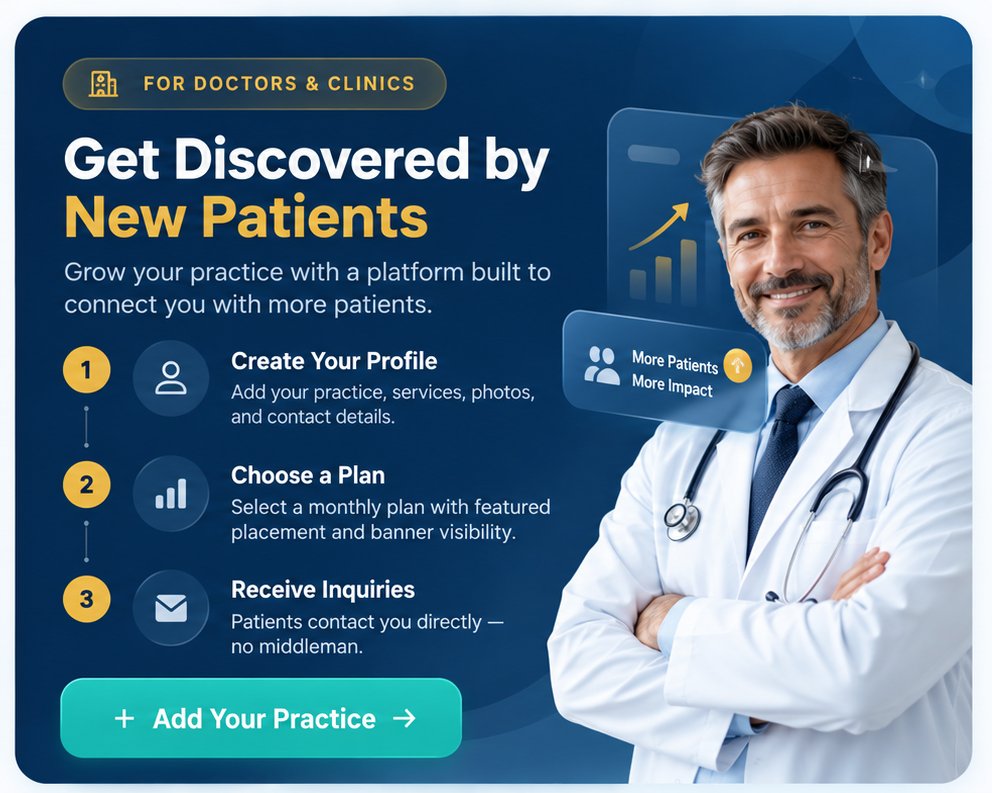
- Create your account in My Account and choose the provider (Owner) option.
- Open Add Your Practice and fill in the fields above: name, category, address, hours, contact and description.
- Upload your photos and logo. Clear, well-lit images make your listing look professional.
- Choose a plan on Plans & Pricing if you want more visibility, banners or marketing support. Plans are billed monthly and you can cancel anytime.
- Review and submit. Check every field once more, submit, and then look for your practice in the directory.
Not sure which option fits your practice? Ask our AI assistant on the site or contact our team.
How to write a description patients understand
Write for a patient, not for a colleague. Start with who you help and where: “Family medicine clinic in El Cangrejo, Panama City, for adults and children. Consultations in Spanish and English.” Then list your main services and how to book. Keep paragraphs short and avoid abbreviations patients may not know.
Stay factual. Do not promise cures or specific outcomes, do not publish before-and-after claims you cannot support, and never share patient information. Health advertising is regulated, so keep your profile informative and check any claim with your professional association if you have doubts.
Keep your listing accurate
An outdated phone number or old schedule costs you patients and trust. Review your profile at least once a quarter, and update it right away when you change address, hours, insurers or staff. Answer WhatsApp and email messages promptly: a fast first reply is often what turns a search into an appointment.
Reach patients beyond Panama
CanalMarket Medical is part of CanalMarket Group, with offices in Panama City and Dubai, and lists providers in Panama, the United Arab Emirates, the United States and Qatar. If your practice serves international or medical-travel patients, mention it clearly in your profile, together with the languages you speak. Patients coming from abroad may also look for short-term rentals in Panama or travel services through our sister sites.
For patients, we also publish practical guides such as how to find an English-speaking doctor in Panama City.

Frequently asked questions
Who can list a practice on CanalMarket Medical?
Doctors, dentists, clinics, hospitals, laboratories, pharmacies and other health providers. Each provider is responsible for the accuracy of its profile.
Do I need a website to be listed?
No. Your directory profile can work as your online presence. If you have a website, add the link to your profile.
How are the plans billed?
Plans are billed monthly through a secure Stripe checkout, and you can cancel anytime. See current options on Plans & Pricing.
Can I list a practice outside Panama?
Yes. The directory also covers the UAE, the USA and Qatar.
Does CanalMarket Medical give medical advice?
No. CanalMarket Medical is a directory that connects patients with providers. It does not provide medical advice, diagnosis or treatment.
Ready to be found by more patients? Add your practice now, compare plans, or message us through the contact page.
Grow your practice with CanalMarket Medical
Doctors, clinics, labs and pharmacies: publish a complete profile patients can trust, add banners and get featured in Panama, the UAE, the USA and Qatar. Monthly plans, cancel anytime.
See plans & pricing · Add your practice · WhatsApp +507 6148-9795